Latest release v1.6.0 is available

WispTerm

A fast modern terminal for Windows and macOS. Built in Zig, powered by libghostty-vt, and shaped for remote sessions, split panes, file previews, themes, and AI agent workflows.

libghostty-vt terminal core Zig native runtime AI tabs exportable sessions

DOWNLOADS

Choose the package for your machine.

These are the current Windows and macOS assets from the v1.6.0 GitHub release. Checksums are shown inline so the file you download can be verified.

Latest v1.6.0 Published June 1, 2026 macOS DMGs are signed, notarized, and require macOS 13 or newer
Release notes
Quick recommendation Mac M-series: Apple Silicon DMG. Intel Mac: Intel DMG. Windows: regular portable ZIP unless you specifically need WebView2.
WIN Recommended for Windows

Windows portable

Choose this for most Windows PCs. Extract the zip and run wispterm.exe without an installer.

SHA2561f216992b184927706cf57b387dc74ce3a1c1e1d50ca6f9f88cb96229bdea3a7
Download ZIP
WEB ZIP

Windows portable + WebView2

Choose this if you need the browser side panel. It includes WebView2 loader support.

SHA25633b120dea81c074f7e560d9b1671bd3e2b58816a352c894e247df3a771dc6b10
Download ZIP
MIN ZIP

Windows portable no WebView

Choose this for a smaller terminal-only bundle. It excludes the embedded browser panel support.

SHA256aefe8e6c1e28ec369e91f011445b5c3a67d2d5b03ebe641644d9f0d550bae2e3
Download ZIP
ARM M-series Mac

macOS Apple Silicon

Choose this for Mac with M1, M2, M3, or M4 chips. Requires macOS 13 or newer; the DMG is signed and notarized by Apple.

SHA25661e1fa35e7d0212199c83766e85b0979d3c69717914d957981b32b03a7774824
Download DMG
INT Intel Mac

macOS Intel

Choose this only for Intel-based Macs. Requires macOS 13 or newer; check About This Mac if you are unsure.

SHA256fa10e947f10352ed8dfa551f45dd62be2c176e8c011cab88fcfb508436c52ad2
Download DMG
SRC GitHub

All release assets

Open the complete release page for older versions, source archives, notes, and future assets.

Repositorygithub.com/xuzhougeng/wispterm
Open Releases

TERMINAL WORKSPACE

A Ghostty-powered terminal with the panes daily work needs.

WispTerm pairs terminal emulation with practical surrounding panels, so remote sessions, file context, previews, and AI coding work stay anchored to the command line.

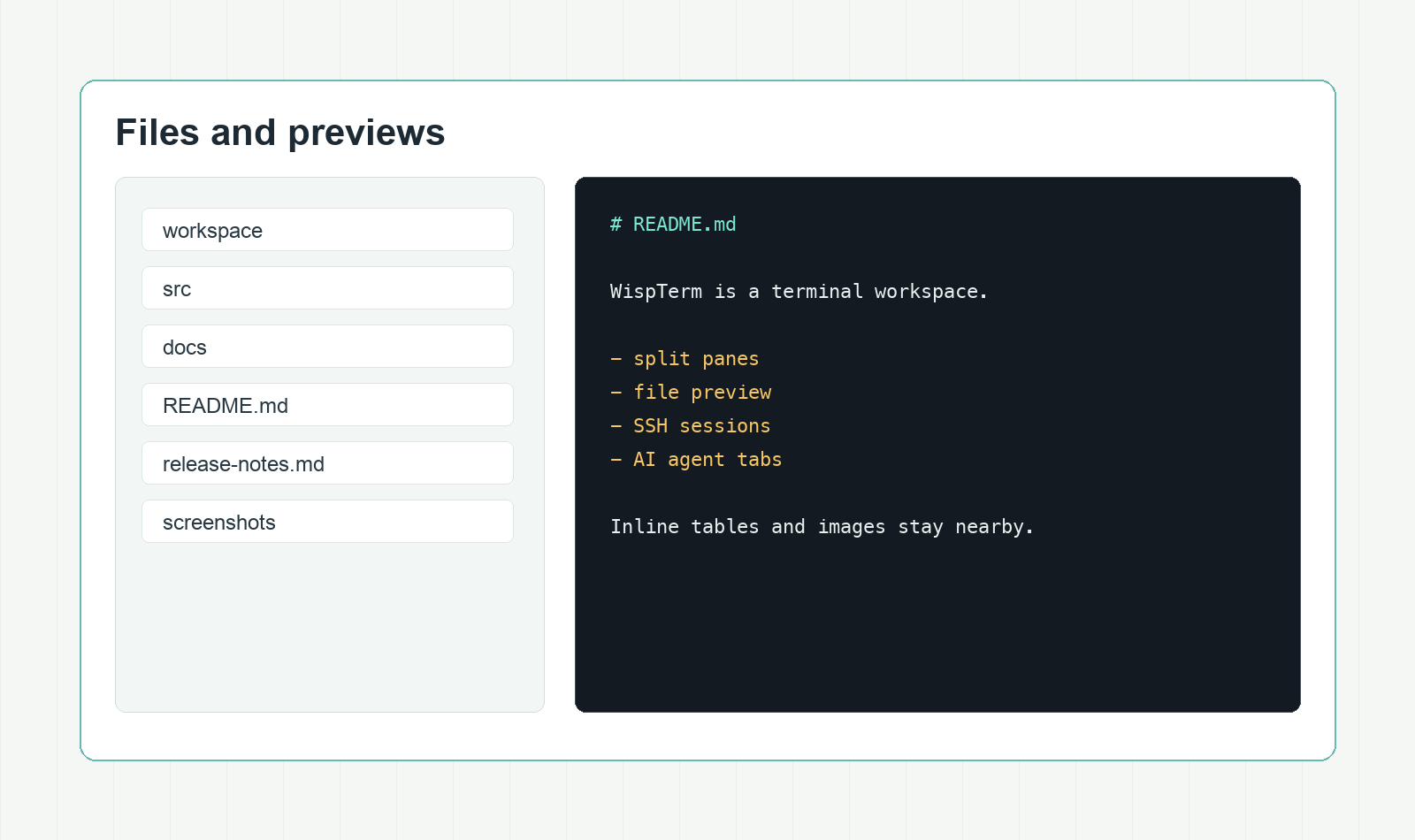
WispTerm file explorer and preview panel

Ghostty terminal core

Uses libghostty-vt for VT parsing and terminal state, with native font discovery and per-glyph fallback.

Split panes and tabs

Arrange vertical and horizontal splits, tab strips, focus-follows-mouse, spatial focus movement, and equalized pane sizes.

Files beside the terminal

Browse local and SSH files, then preview Markdown, text, CSV, TSV, and images without opening another app.

Agent sessions

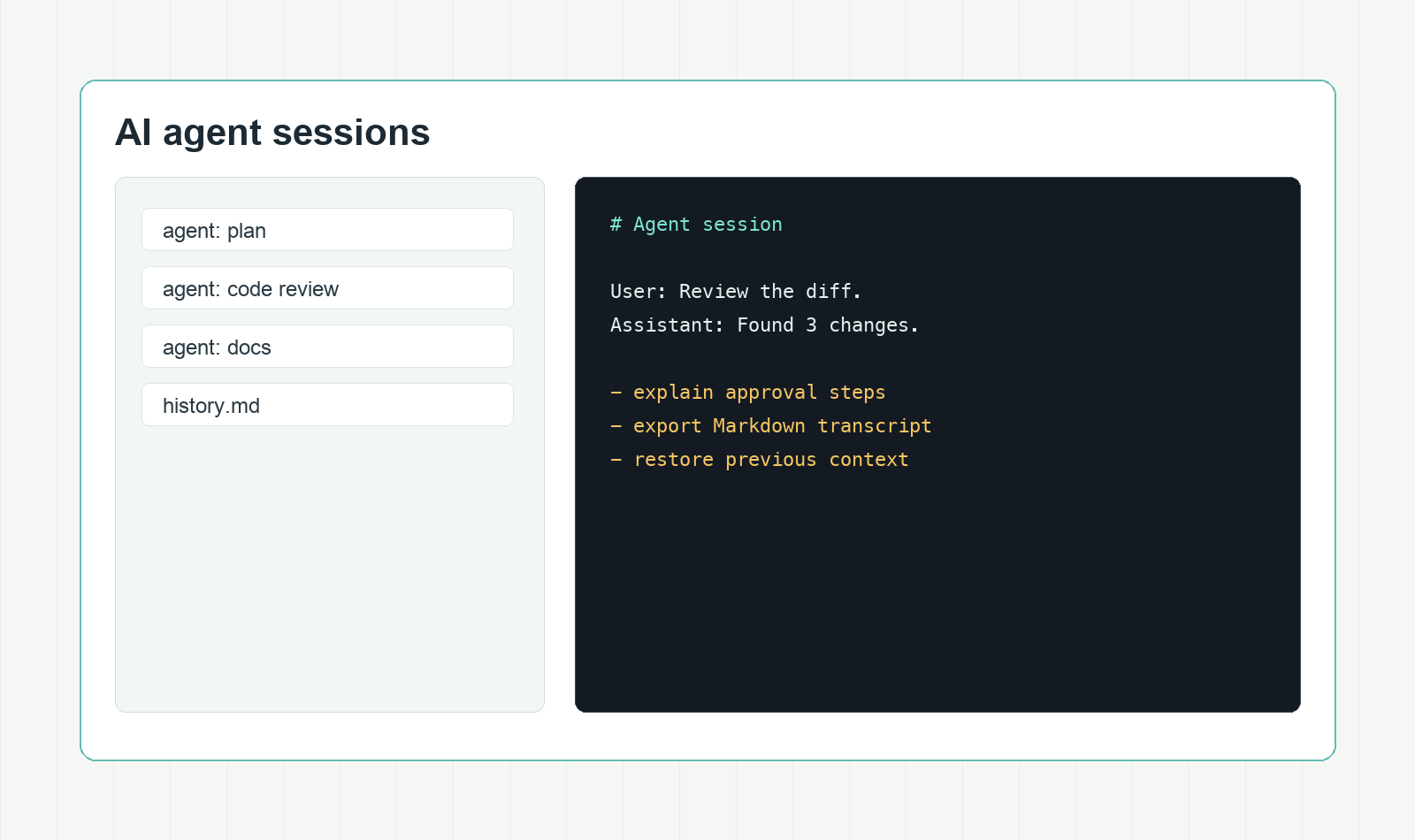
Run OpenAI-compatible agent tabs with shell context, tool approvals, restored history, and clean Markdown export.

WORK MODES

Designed for terminal-heavy workdays.

File inspection, AI agent control, theming, browser previews, and rendering details share the same calm workspace.

WispTerm file preview workflow

Remote file context

Keep local and SSH file navigation adjacent to the active terminal, with previews one pane away.

WispTerm AI agent panel

Agent control

Keep agent conversations tied to the shell, preserve approvals, restore history, and export records.

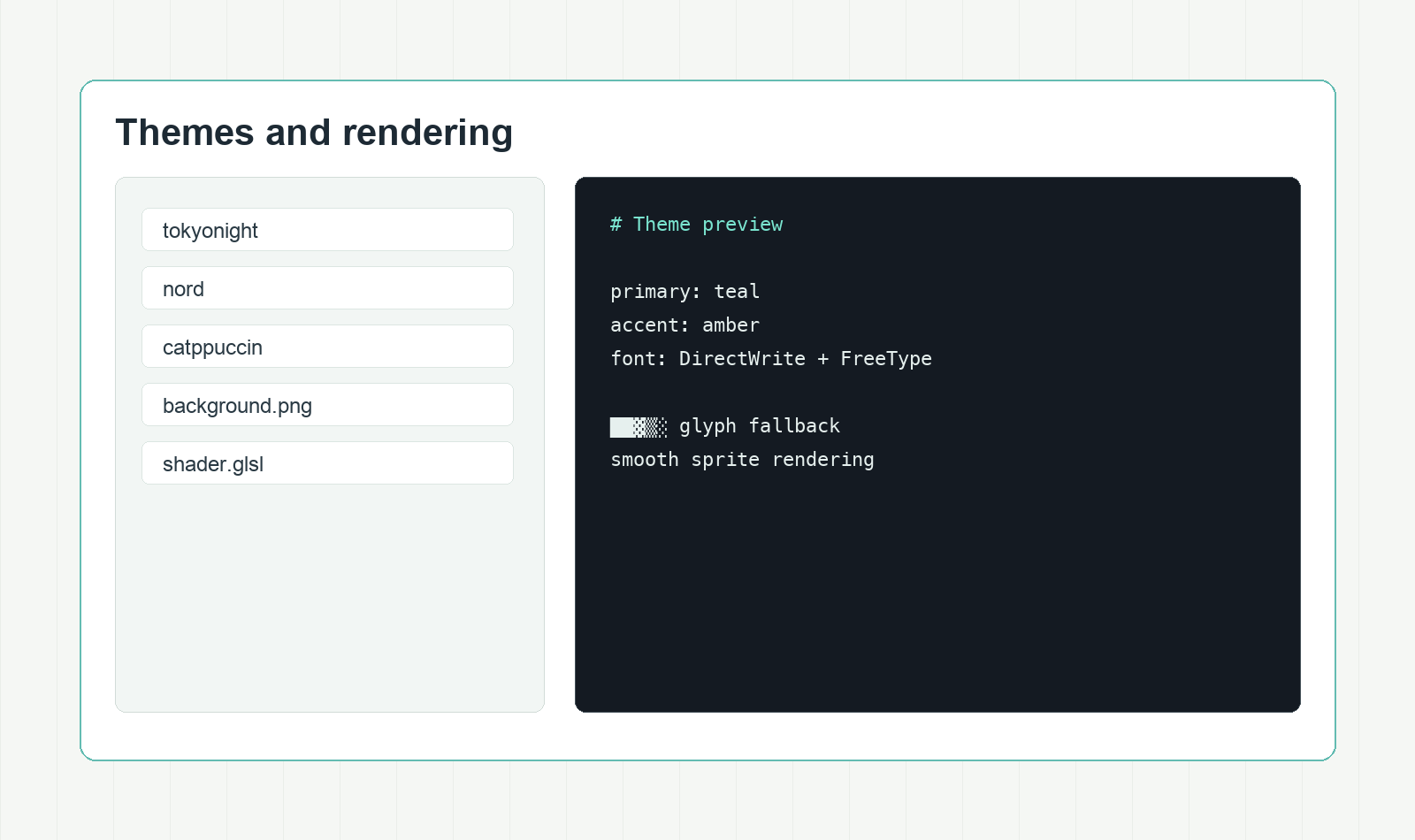
WispTerm themes preview

Themes and texture

Start from 453 built-in themes, add background images, and tune the terminal with shader effects.

CORE FEATURES

A focused set for modern terminal work.

WispTerm centers on the details that matter when the terminal is the main workspace, not a detached side tool.

VT

libghostty-vt core

Ghostty-compatible terminal emulation for VT parsing and terminal state.

AA

Native font rendering

DirectWrite discovery, FreeType rasterization, per-glyph fallback, and crisp terminal symbols.

SP

Splits and tabs

Pane splits, tab sidebar, focus-follows-mouse, and equalized sizing.

FX

File explorer

Preview Markdown, text, CSV, TSV, and images without leaving the terminal.

AI

Agent tabs

Keep AI agent sessions beside the shell with approvals, history, and Markdown export.

453

453 themes

Use built-in Ghostty-compatible themes, including Poimandres as the default.

BG

Background images

Add PNG, JPG, BMP, GIF, or TGA backgrounds with terminal-aware opacity blending.

WB

Embedded browser panel

Open web URLs in a side panel on Windows, with SSH loopback forwarding for profile sessions.

KG

Kitty graphics

Display inline images and PDFs from remote shells with helper scripts.

CFG

Hot-reload config

Open the config file from the app and apply changes on save without restarting.

GL

Custom shaders

Apply Ghostty-compatible GLSL post-processing when you want a more tuned terminal surface.

PX

Sprite rendering

Render box drawing, block, braille, and powerline glyphs as crisp terminal sprites.

FAQ

Questions before downloading.

Short answers for choosing and verifying the release packages.

Where do the download buttons point?

Every package link points to the xuzhougeng/wispterm GitHub Releases download URL for v1.6.0.

Which Windows package should I choose?

Start with Windows portable. Choose the WebView2 package if you want the embedded browser panel, or the no-WebView package for a smaller terminal-only bundle.

Are macOS packages signed?

The v1.6.0 release notes state that both macOS DMGs are signed with a Developer ID Application certificate and notarized by Apple. The macOS packages require macOS 13 or newer.

How is WispTerm configured?

WispTerm uses a Ghostty-style key-value config file. Open it from the app, save changes, and the running workspace applies them without a restart.

What can the file preview panel open?

The preview panel is built for daily terminal-adjacent files: Markdown, plain text, CSV, TSV, and common image formats.

Where is the source code?

The source is available on GitHub under the xuzhougeng/wispterm repository.

Get WispTerm v1.6.0 for Windows or macOS.

Use the package section for direct files, or open GitHub Releases for the full asset list and changelog.

Go to downloads